DNS
DNS stands for Domain Name System and shows where a web page lives. It is the connection between a domain the ip address of the site. When a user clicks on a link, the DNS is actively taking that domain name and linking it to the ip address to connect the server to the browser.
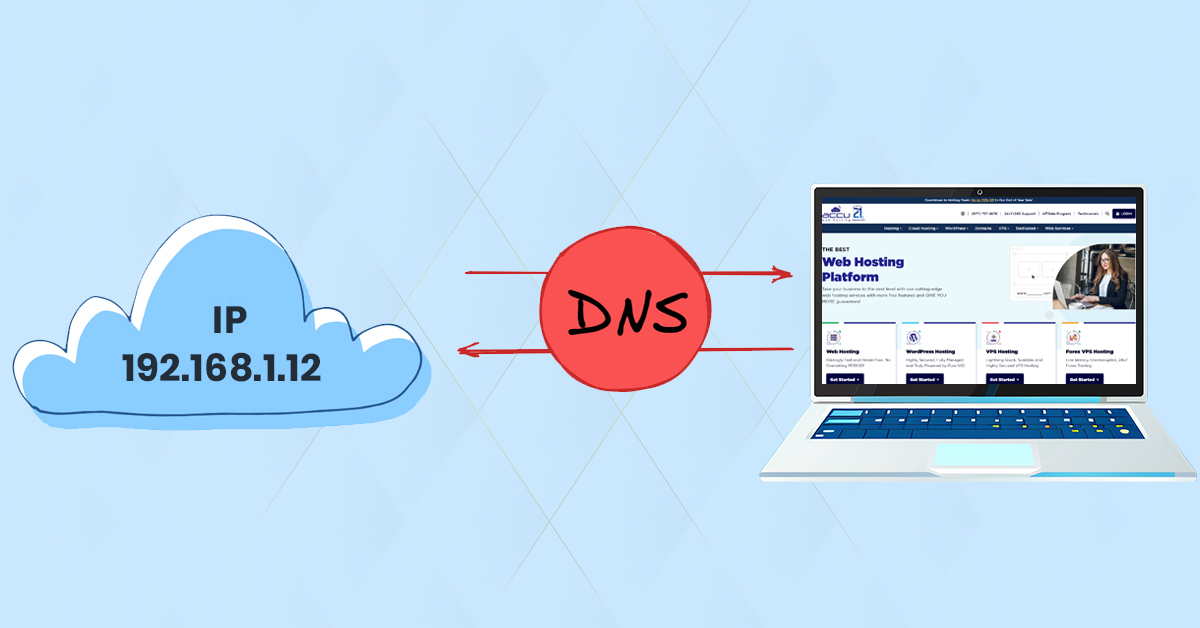
Domain/IP Address
A domain routes to an ip address. An ip address is the server generated unique identifier that is used to connect the web applications and through DNS is able to connect to the domain name. When a user clicks on that link above, it is go to the elastic ip address of the site to connect the server to your browser.

Elastic IPs
An elastic ip address is a way to access the same web application regardless of where your ip address is hosted from. When a user hosts a server on their laptop at their house it will be the same elastic ip address if they were hosting a server on the University of Utah Engineering building.
HTTPS
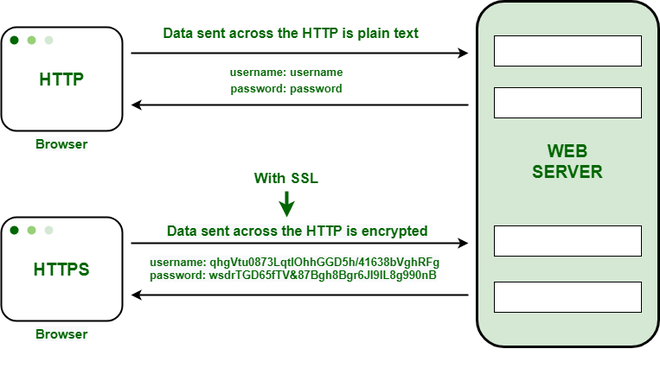
HTTPS stands for Hyper Text Transfer Protocol Secure. What this done you click a link is it is the encyrption part of a link and is used in a system to safely transfer and encyrpy information between the user and the server.
Nginx
Nginx is a simple web server that you can deploy applications onto. You can use your HTTPS certification and EC2 instance linked to your domain onto an Nginx server. This server is a way to publish your application online.

Local Host Ports
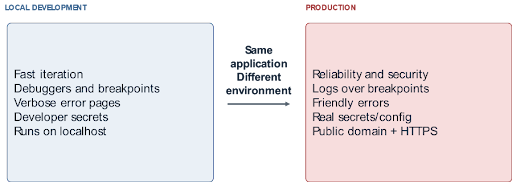
Local host is a server IP address run off of the users computer that never reaches the public network. The local IP is 127.0.0.1 for any user that is running a program off of their pc. This is the name that a pc will refer to itself as, will a following port number that can be used to route traffic to the exact service or web application run on the local machine.
ASP.NET Core
ASP.NET Core is a fast, lightweight web application with built in security protocals for developing cloud based a web application platform by utilizing .Net and C# programs and frameworks. ASP handles web traffic and data, so when a user clicks a link/url, ASP will route the request into an MVC process for handling by the server.

Controller to View
Once a request has been sent across the server, the request hits the specified controller, so in the case of
the example above, the request would route to the Demographics Controller, where a IAction call will be made
based on whether the request is a GET or POST to the specified method being Create. Once the veiw method is
called and validations are made, the request is processed and returned to the users browser view.
For a more in depth look at this process, see our MVC Handling Page
Response
Once the correct view request is processed by the server, the request will be sent across the server and back to the user through a html rendered body. The rendered body is then displayed onto the users browser, completing the request made by the user via clicking a link/url.