How Form Data Moves Through ASP.NET Core MVC
This is a short guide to form submission, model binding, validation and the GET/POST request cycle.
The Big Picture
When a user fills out a web form, information moves from the browser to the server. ASP.NET Core converts the submitted data values into C# data, validates the data and then decides what is sent back to the browser.
- The browser request the form with a HTTP GET.
- The user enters information into the form controls.
- The browser send the information using an HTTP POST.
- ASP.NET Core performs model binding and validation.
- The controller decides what should happen next.
Form Procecssing Diagram
The following diagram shows the major steps involved in getting the form, submitting it, validating the submitted information, and returning a response.
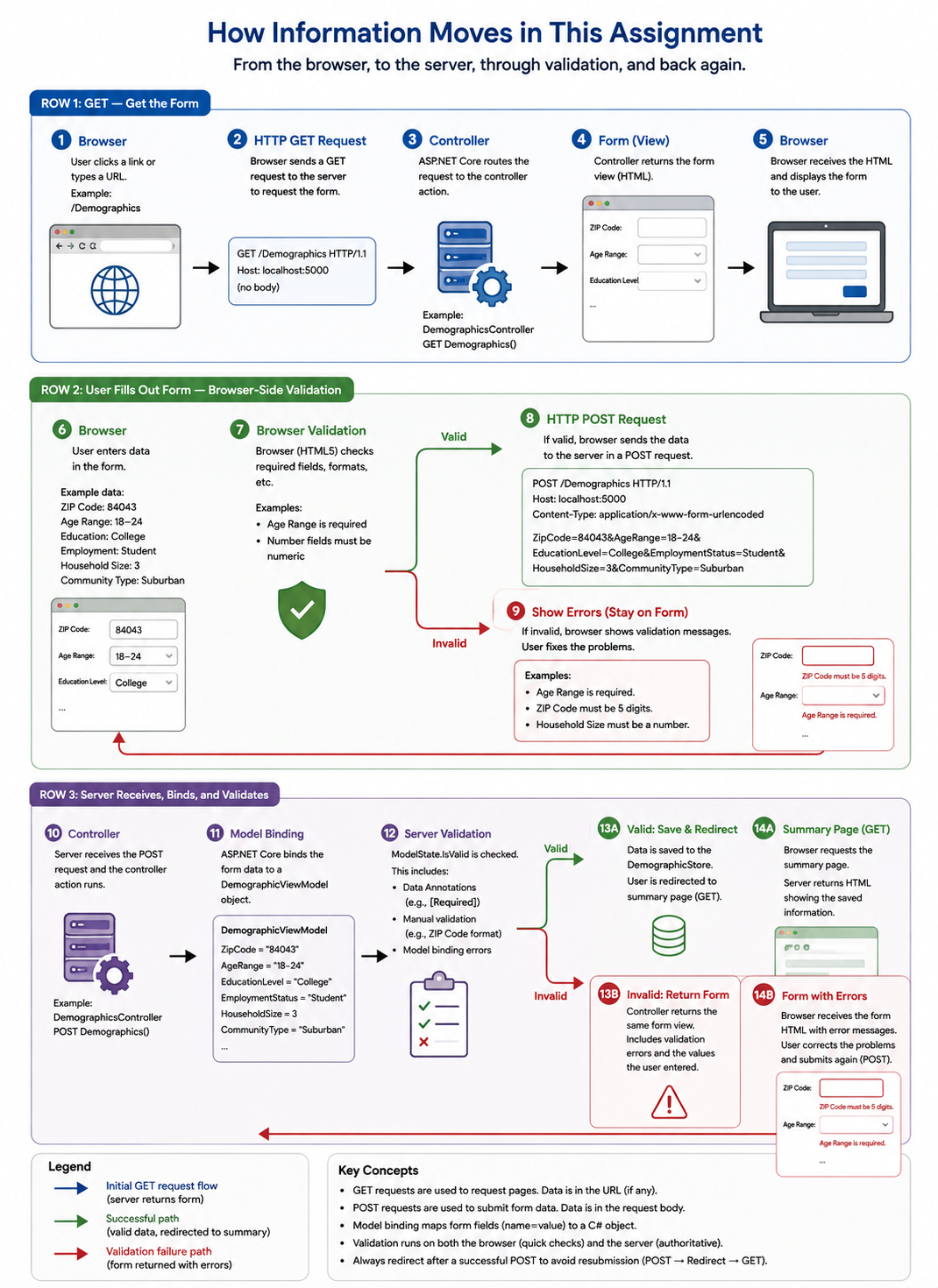
Form processing in the survey says applcation. Open the full-size form processing diagram
When Processing a form, the key steps are: getting the form, filling out the form, and validating and returning the form.
Getting the form:
The user navigates to the form page, where a Get request is sent to the server, requesting the page where a user can fill out information, which is returned and diplayed to the browser.
Filling out the form:
The page displayed will have various types of inputs that the user can provide, entering their information to be processed by the server using a Post request.
Validating and returning the form:
Once the Post request if processed by the browser, it transfers to the controller and view model where the input data is translated and stored so that the user can access their information. If however, the user provides invalid data, a error is returned instead and reported to the user, keeping them on the same form page.
GET and POST Have Different Jobs:
A GET requests normally asks the server for information. A POST request normally sends information to the server for processing.